The Plausible Analytics iPhone app is the daily check-in for the dashboard you already have. Live visitors, sources, goals and insights in thirty seconds. No pinch-zoom, no extra account.
Checking Plausible on iPhone shouldn’t mean pinch-zoom.
Plausible is simple on a desktop. In Mobile Safari it is still that desktop page: a tab to find, a login to repeat, a chart built for a large screen.
The morning check
You posted last night and want to know if it is landing. Instead you open Safari, wait for the dashboard, and pinch a chart that was designed for a monitor.
The client ping
A client asks how the site did this week. You are away from the desk, juggling logins and share links, trying to read sources on a phone-width column.
The Monday surprise
Traffic moved over the weekend. You find out when you sit down, because the daily check-in never fit a phone in your pocket.
Tracksible is an independent companion by Webjuice. It is not an official Plausible app, and it is not affiliated with, endorsed by, or supported by Plausible Insights OÜ.
The Plausible metrics you already use. Laid out for a thumb.
Tracksible does not replace Plausible Analytics. It shows the dashboard you already have, in an iPhone layout you can read one-handed. See the full feature list for every view.
Live visitors
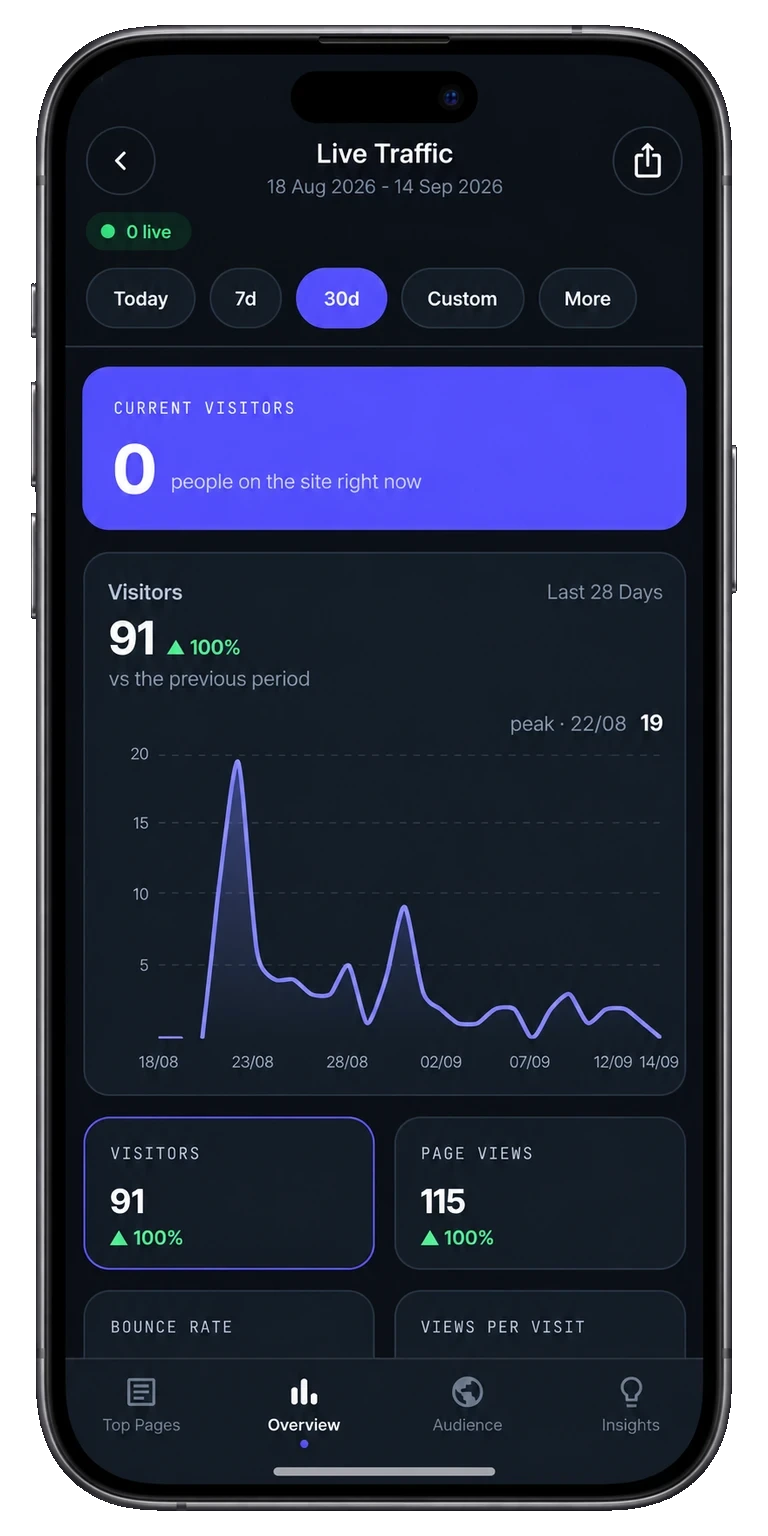
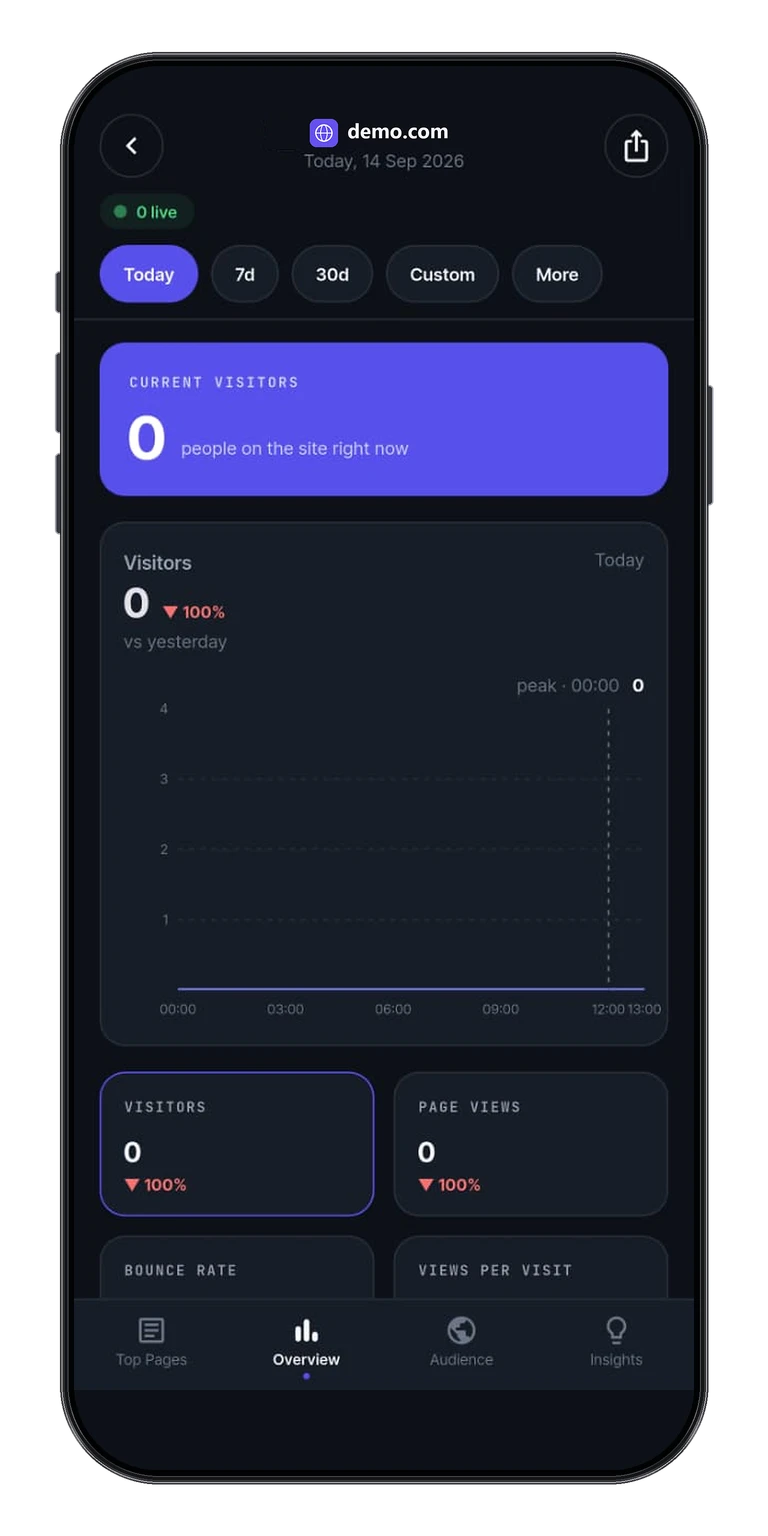
Open the app and the live visitor count is the first thing you see. No desktop tab, no pinch-zoom to find the number.
Pages and sources
Top pages and traffic sources for the range you choose, so you can see what is actually sending people today.
Audience
Countries, cities, devices and browsers in a stack you can scroll with one thumb, not a wide table that overflows the screen.
Goal conversions
Every goal you set up in Plausible, with its conversion rate for the same range you are looking at.
Written insights
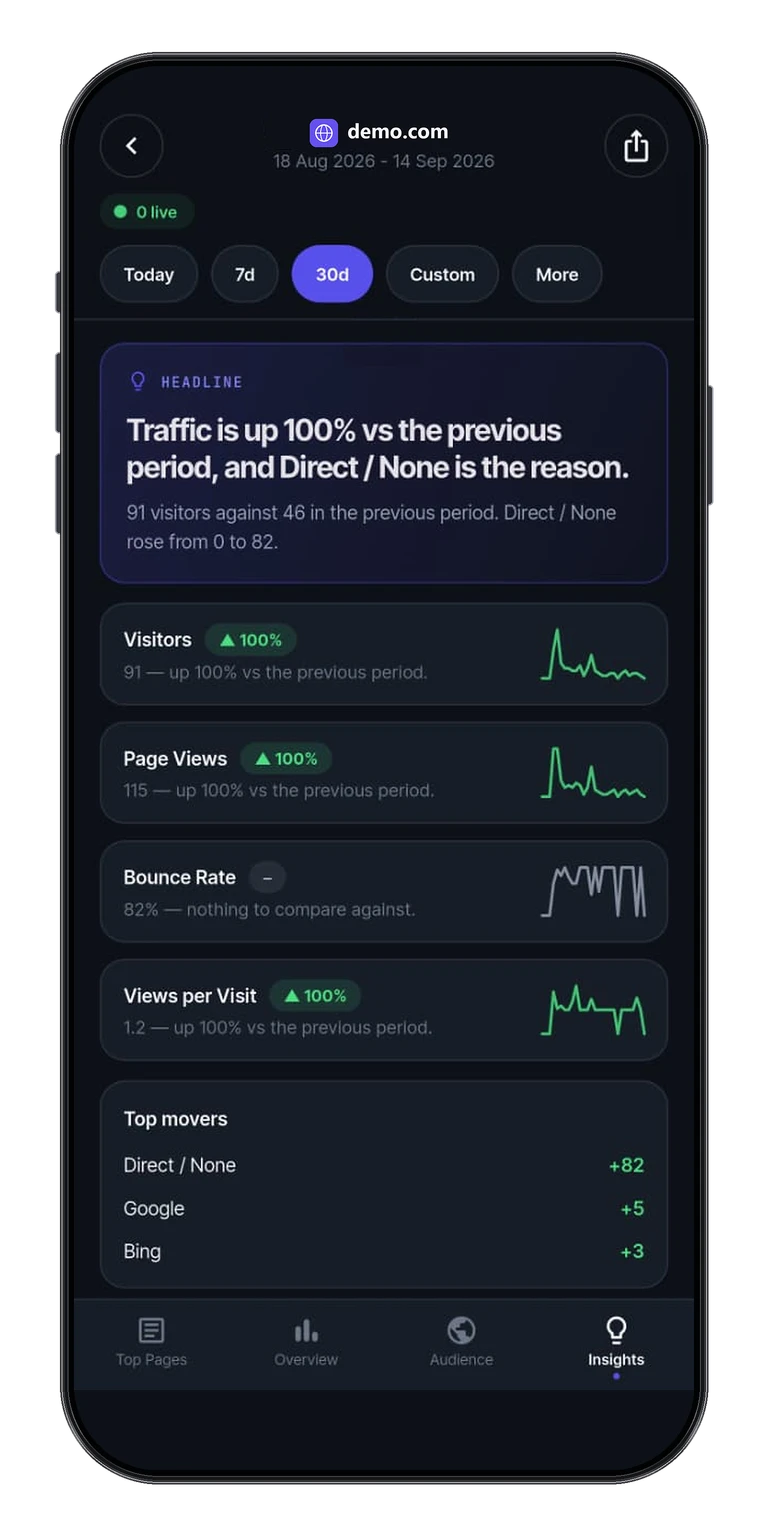
A short takeaway calculated locally from the statistics the app retrieved. It is not a second analytics service.
Date ranges
Free includes Realtime, Today, Yesterday and Last 7 Days. Pro adds custom ranges, month, year and all-time. Last 91 Days is a rolling 91-day window.
Connect once. Check in from the phone.
There is no Tracksible account and no Sign in with Apple. Credentials stay on the device. These are the same views as the Tracksible home page.
Readable Insights
A short written takeaway from your stats, sized for a glance. Calculated locally from the statistics the app retrieved. It is not a second analytics service.
Goal Conversions
Every goal you set up in Plausible, with conversion counts and rates for the date range you choose.
Live Traffic
Who is on the site right now, without opening a desktop tab. The live visitor count is the first thing you see after you connect.
Multiple Websites
Paste a share link or a Stats API key, then switch sites in a couple of taps. Unlimited sites need Pro. Walkthroughs: share-link dashboard and share link vs API key.
Period Comparisons
This range next to the last one, so you can see what moved. Free includes Realtime, Today, Yesterday and Last 7 Days. Pro unlocks every supported date range.
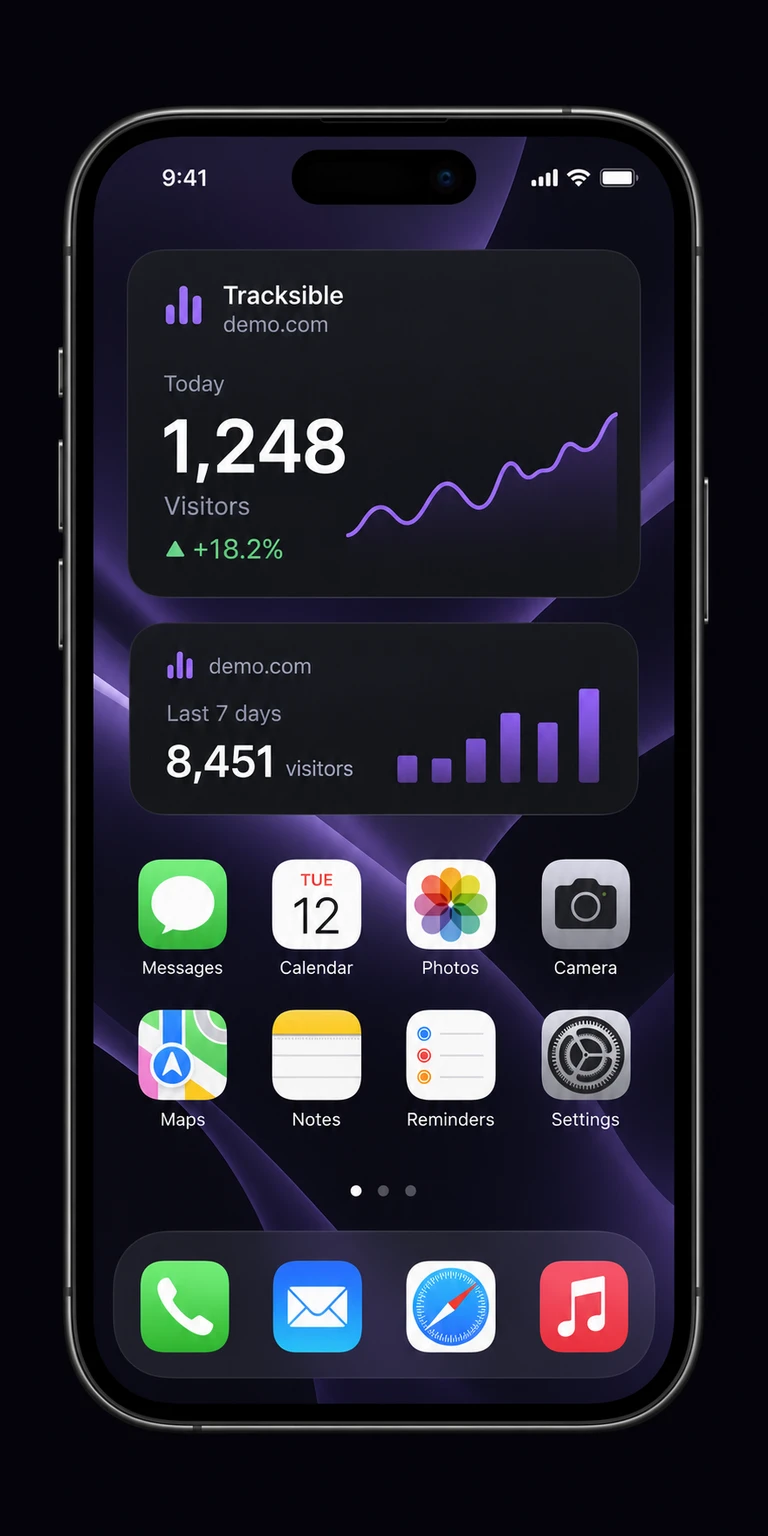
Home Screen Widgets
A recent visitor snapshot on your iPhone home screen. Widgets require Pro. A widget is a snapshot, not a live dashboard. iOS decides when it refreshes.
Product preview. Demo numbers are labelled in the app UI.
A visitor snapshot on the iPhone home screen.
Home screen widgets require Pro. They show a cached visitor count. They are not a second-by-second live view.
How the iPhone app gets your stats
You connect once with a Plausible share link or a Stats API key. There is no Tracksible account. The app stores the instance address and credentials on the device, then reads the dashboard you already have.
Each open is a check-in: live visitors, sources, goals and insights for the range you picked. Available metrics still depend on your Plausible version, permissions and plan.
How the home screen widget works
On iOS, the widget extension copies the instance address and the API key or share-link token, then fetches statistics itself. That is device storage shared with the widget, not a Tracksible account in the cloud. Widgets require Pro. A widget is a snapshot, not a live dashboard. iOS decides when it refreshes.
If a number looks stale, check the network, background refresh, and that Pro is unlocked. A late snapshot is often iOS deferring a refresh, not the wrong dashboard. After a reinstall, restore the purchase with the same Apple ID, add the site again, then put the widget back. Purchases do not transfer to Android. Details: the widget page and why a widget is a snapshot.
Product preview. Widgets require Pro. Demo numbers are labelled in the app UI.
Start with one site. Upgrade once if you need more.
FOR YOUR DAILY CHECK-IN
Free
€0to use
Get a clear view of your website. No trial clock ticking.
1 website
Realtime, Today & Yesterday
Last 7 Days
Live visitors & traffic charts
Audience & location breakdowns
Pages, sources & goal conversions
Written traffic insights
API key or share-link connection
Plausible Cloud & self-hosted
ONE-TIME PURCHASEFOR THE BIGGER PICTURE
Tracksible Pro
$9.99one-time
Pay once, no recurring subscription. Your store confirms the price before you pay.
No. There is no Tracksible account and no Sign in with Apple. Connect the Plausible dashboard you already have with a share link or a Stats API key. Credentials stay on the device.
No. Home screen widgets require Pro. Free is one site with Realtime, Today, Yesterday and Last 7 Days, plus overview, audience, goals and insights.
Is this an official Plausible app?+
No. Tracksible is an independent companion by Webjuice. It is not an official Plausible app, and it is not affiliated with, endorsed by, or supported by Plausible Insights OÜ.
Is there a dedicated iPad layout?+
This page describes the iPhone app. The download page lists the Apple destination as iPhone & iPad. We do not claim a dedicated iPad layout or iCloud domain sync.
Do I need a minimum iOS version?+
The App Store listing is the source for device requirements.
Stop pinching Safari. Open the iPhone app.
Free for one website, with no trial clock and nothing to cancel. Upgrade once, only if you ever need more sites, longer ranges or widgets.